
What Kind of Website Does Your Business Need? Features, Examples and Budgets in Malaysia
Understand websites, web apps, e-commerce, marketplaces and SaaS, with practical business examples, Malaysian development budgets and the costs to plan for after launch.
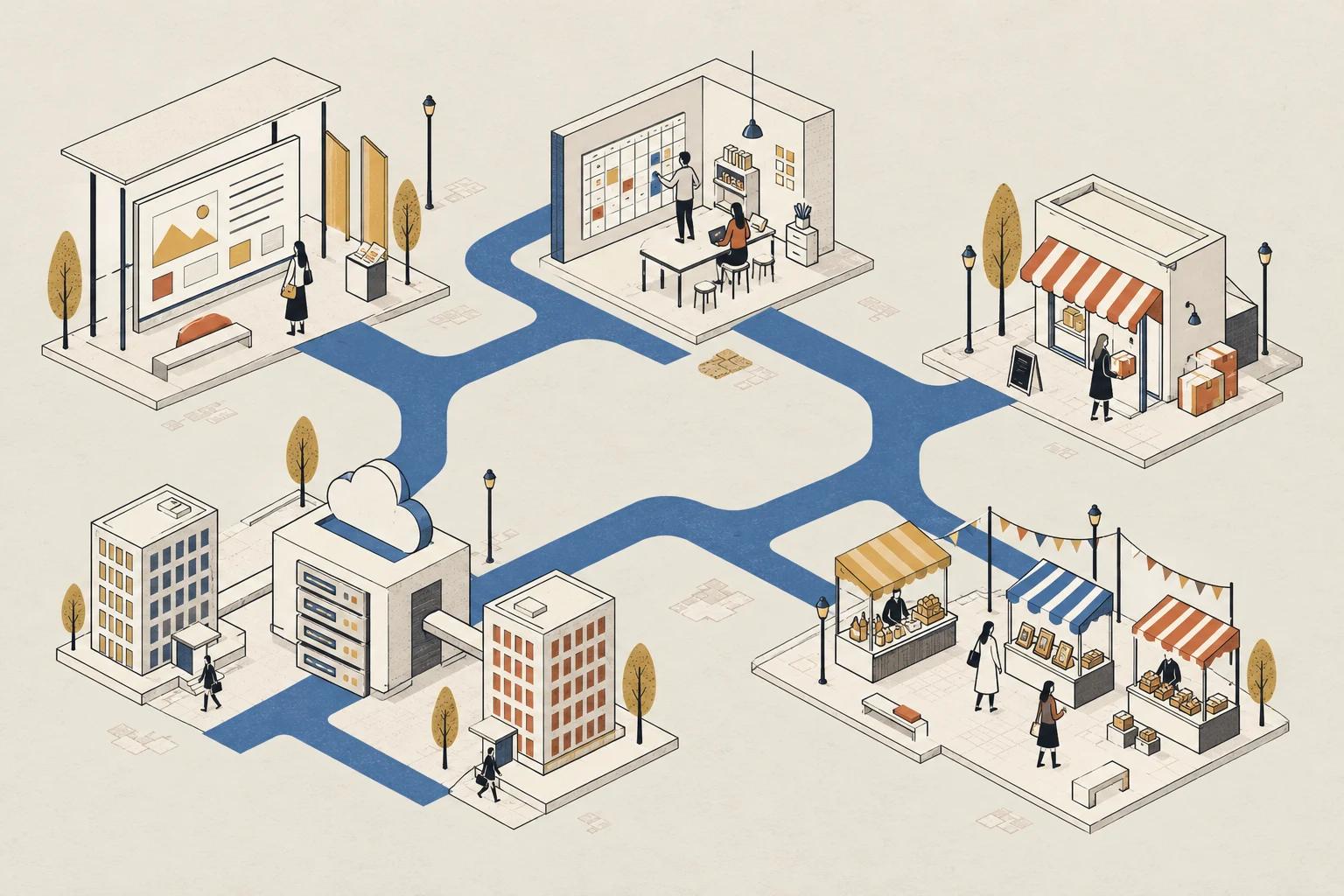
Ask three developers how much a website costs and you might receive three very different quotations. One imagines a company profile. Another imagines an online store. The third imagines a customer portal with accounts, payments and reports.
They are pricing different jobs.
Before comparing quotations, it helps to understand what you actually need people to do. Should visitors learn about your business, buy a product, book a service, manage their work or sell through your platform?
These questions lead to five terms you will often hear: website, web app, e-commerce, marketplace and SaaS.
First, these categories can overlap
These labels describe different purposes and ways of providing an online service. They are not five completely separate technical categories.
A marketplace can be an e-commerce application. A SaaS product can run as a web app. One business might have a public website, an online store and a private customer portal.
For this guide, “website” means a primarily informational website. “Web app” means a browser-based application where people complete tasks. SaaS describes software that a provider operates and manages for customers, often through a subscription. It does not simply mean any software accessible online. AWS explains this provider-managed model in its SaaS overview.
Here is the practical distinction:
| Type | Simple version | Main purpose |
|---|---|---|
| Informational website | Learn about a business. | Help visitors understand and contact a business. |
| Web app | Complete tasks online. | Help users complete tasks and manage information. |
| E-commerce store | Buy from one online store. | Sell products or services through your own store. |
| Marketplace | Many sellers, one platform. | Connect buyers with multiple independent sellers. |
| SaaS | Use software managed by its provider. | Give customers ongoing access to software you manage. |
Scroll to compare all columns
1. Informational website: help people understand your business
Imagine a renovation company that needs to show its services, completed projects, working process and contact details.
Visitors arrive, check whether the company suits their needs, look at its work and send an enquiry. The website's main job is to build understanding and confidence.
Typical features include:
- Service pages, a company profile and a project portfolio.
- Testimonials and frequently asked questions.
- Contact forms, location details and WhatsApp links.
- A blog or content management system for updates.
An enquiry form does not automatically make the project a complex web application. The distinction is the main purpose and the amount of processing behind the page.
Indicative development budget: RM1,500–RM5,000 for a focused landing page or small informational site; RM5,000–RM15,000+ for a broader business website.
For example, a landing page using supplied copy and images is a smaller job than a ten-page website requiring original design, copywriting, multiple languages and an editable project portfolio. Published Malaysian guides show substantial variation between those scopes. One Digital's website pricing guide, Shariar Bijoy's pricing guide
Start here when your immediate need is credibility and enquiries. You may not need customer accounts or a custom dashboard to achieve that.
2. Web app: help users complete a task
Now imagine the renovation company wants customers to log in, view quotations, approve changes and check project progress.
The system must know who each customer is, which project belongs to them and what they are allowed to change. It also needs to remember previous actions.
That is a web application.
Other examples include appointment booking, student attendance, inventory tracking and internal approval systems. The interface might look simple, but the behaviour behind it determines much of the work.
A booking page, for example, needs answers to practical questions: Can two people book the same slot? Can customers reschedule? What happens when a staff member is unavailable?
Indicative development budget: RM15,000–RM35,000 for one focused workflow; RM35,000–RM100,000+ for multiple workflows, user roles and integrations.
A useful starting scope could be a booking tool with customer and administrator access, fixed availability rules and email confirmations. Adding several branches, deposits, staff schedules and external calendar connections creates a different project. These planning bands broadly reflect published local custom-application pricing. ZenWeb's custom web application pricing
When discussing a web app, describe the process it must support. “Customers submit a request, staff review it, and a manager approves it” is more useful than “we need a dashboard.”
3. E-commerce: sell through your own online store
An e-commerce store lets customers browse, choose and pay for products or services.
Think of a furniture brand selling directly to customers. It controls its catalogue, pricing and customer experience. Products may come from different suppliers, but the shop still operates as one merchant from the customer's perspective.
Typical requirements include:
- Product listings with prices, images and variations.
- A cart, checkout and payment integration.
- Delivery options or collection arrangements.
- Order management and stock tracking.
- A process for cancellations, returns and refunds.
A catalogue with a WhatsApp ordering button is a valid way to start selling, but its scope differs from a store that processes payments and manages orders automatically.
Indicative development budget: RM5,000–RM15,000 for a standard platform-based store; RM15,000–RM40,000+ for more tailored shopping flows and integrations.
The lower band assumes an existing commerce platform, a defined catalogue and relatively straightforward checkout and delivery rules. Custom pricing, product personalisation, warehouse connections and unusual shipping calculations increase the scope. Local pricing guides reflect this difference between standard stores and more involved builds. One Digital's pricing guide, Shariar Bijoy's pricing guide
Product preparation also takes time. Agree on who supplies descriptions, photographs, variation details and opening stock data before comparing quotations.
4. Marketplace: let multiple sellers trade through your platform
A marketplace brings independent sellers and buyers together. Shopee and Lazada are familiar examples of the concept; a first release for a small business should have a much narrower scope.
Imagine a platform where local furniture makers can each list their products and receive orders.
You now have three groups to support: buyers, sellers and the platform operator. Each needs different access and tools.
You also need to decide how the business works. Who approves sellers? Who handles complaints? How are commissions calculated? When does a seller receive payment? What happens when a buyer orders from two sellers and returns one item?
These decisions affect both development and day-to-day operations.
Indicative development budget: RM35,000–RM70,000 for a limited launch using an existing multi-vendor platform or plugin; RM90,000–RM200,000+ for a more extensively customised build.
These bands align broadly with a Malaysian provider's published marketplace estimates. They do not represent the cost of matching a large national platform's scale or feature set. Automated payouts, complex refund allocation and deeper financial controls can push a project substantially higher. ZenWeb's marketplace pricing
Building a marketplace is different from opening a seller account on one. If you only want to sell your own products, creating an entire marketplace usually adds responsibilities you do not need.
5. SaaS: provide software that customers keep using
SaaS stands for Software as a Service. Customers use software that the provider hosts, maintains and updates for them.
Now imagine a tuition centre has built a useful scheduling system. Other tuition centres want to use it too. Instead of installing and maintaining separate software themselves, they sign up for the provider's managed service.
That is a SaaS direction.
The product could run in a browser and therefore also be a web app. SaaS may also have desktop or mobile clients. Subscription pricing is common, but a monthly payment alone does not define SaaS. AWS's SaaS overview
Building this product involves more than copying the same dashboard for several customers. You need to consider separate customer data, account onboarding, permissions, billing, backups, support and what happens when a customer leaves.
Indicative development budget: RM50,000–RM100,000 for a focused first release serving multiple customer organisations; RM100,000–RM200,000+ for broader workflows, billing controls and integrations.
These are planning bands for commissioning a managed software product, informed by published Malaysian SaaS development estimates. A small prototype may cost less, while more demanding products can exceed them. UNO's SaaS development pricing
Crucially, this is the cost of building your own SaaS product. Paying to use existing software is a different budget: subscription or usage fees, plus any setup, migration and training you require.
If existing software already handles your business process well, compare that option before commissioning a new product.
How the five ideas connect
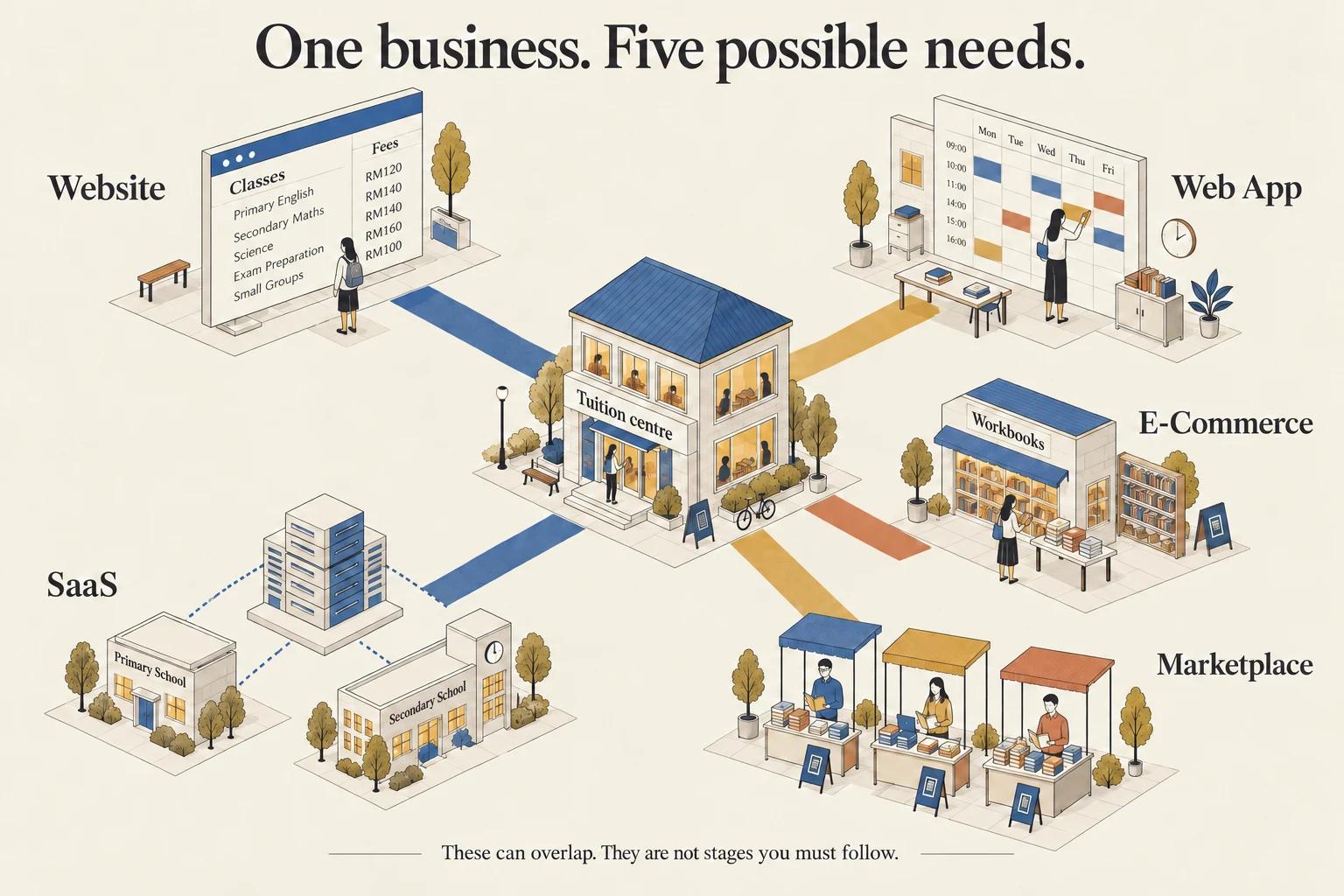
Consider one tuition business:
- Its website explains classes, fees, teachers and locations.
- Its web app manages student attendance and scheduling.
- Its e-commerce store sells workbooks directly to parents.
- Its marketplace allows independent tutors to sell their own materials.
- Its SaaS product offers the scheduling system to other tuition centres as a managed service.
These are possible directions, not a ladder every business should climb. A good informational website may be all one business needs. Another might need an internal application without any online store.
Budget for the scope, not just the label
Use this table as a starting point for discussions:
| Type | Focused starting scope | More extensive scope |
|---|---|---|
| Informational website | RM1,500–RM5,000 | RM5,000–RM15,000+ |
| Web app | RM15,000–RM35,000 | RM35,000–RM100,000+ |
| E-commerce store | RM5,000–RM15,000 | RM15,000–RM40,000+ |
| Marketplace | RM35,000–RM70,000 | RM90,000–RM200,000+ |
| SaaS product | RM50,000–RM100,000 | RM100,000–RM200,000+ |
Scroll to compare all columns
These are indicative project-development allowances based on the scopes and provider references above, reviewed in October 2026. They are not fixed Malaysian market rates or TRLabs quotations. They are not exhaustive price brackets: projects can fall below, between or above them.
Assume recurring services, ongoing maintenance, marketing, applicable taxes and separately commissioned content are additional unless a quotation explicitly includes them. A prototype, a configured off-the-shelf product and a custom production system should be compared on their actual deliverables.
The build price is only part of the budget
Ask for a breakdown of the costs after launch:
- Domain and hosting: the address and infrastructure required to keep the service available.
- Platform and software fees: subscriptions, extensions and other licensed services.
- Usage charges: payments, email, SMS, storage, AI or other external APIs.
- Maintenance and support: updates, backups, monitoring and issue resolution.
- Operations and improvements: content updates, catalogue work, customer support and new features.
A first-year budget should include the build, initial content or data setup, twelve months of recurring services, expected usage charges and an allowance for support.
For illustration only, an RM8,000 build plus RM200 per month in recurring services and RM2,000 in separately quoted annual maintenance totals RM12,400 for the first year, before transaction fees, taxes or additional work. Those figures demonstrate the calculation; they are not a recommended package.
Check what each line includes so you do not count hosting or support twice.
How to get a quotation you can actually compare
Give each developer the same short brief:
- Who will use the system, and what must each person be able to do?
- What are the three essential tasks for the first release?
- Does it need accounts, payments, several sellers or separate customer organisations?
- Which existing tools must it connect to?
- Who provides the text, images and product or customer data?
- What is included in launch support, maintenance and ongoing fees?
Also agree on who controls the domain, hosting, platform accounts and source code, where applicable.
The more specific the brief, the easier it becomes to compare price, scope and responsibility. “A scheduling portal for one centre with staff and administrator access” gives a developer something concrete to estimate.
Start with the job your business needs done
If people need to understand and contact you, start with an informational website. If they need to complete a process, consider a web app. If you sell directly, look at e-commerce. If you bring independent sellers together, you are considering a marketplace. If you provide managed software to customers, you are considering SaaS.
The right choice follows the business need. Start with the smallest useful scope, make its responsibilities clear and budget for running it after launch.
Turn your idea into a clearer brief with Specgen
Know what you want your business to achieve, but unsure how to explain it to a developer? Try Specgen, our website and system brief generator.

Answer a short set of questions about your business, the features you need, your budget and your timeline. Specgen organises your answers into an initial brief you can copy or download and share with a developer. It also provides indicative guidance in RM where the scope supports an estimate.
Use it as a starting point for discussion. Your developer still needs to confirm the requirements, scope and final price.